Table of Contents
First steps after a fresh installation
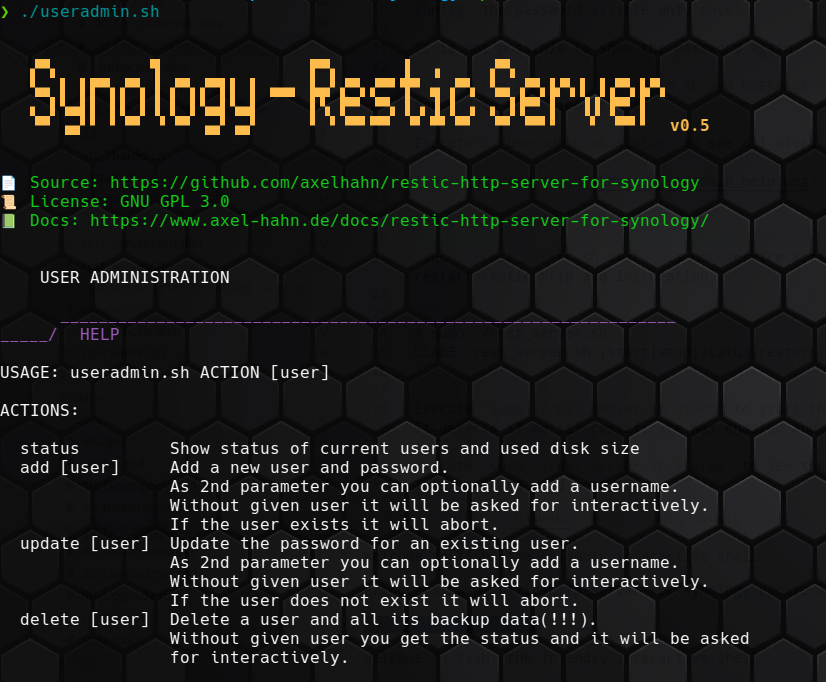
Create a user for http access
The default config activates private repos (see restic http doc for description). In short: a user [user] gets access to [backup-url]:[port]/[user]/ only … with its own password.
Execute ./useradmin.sh add USERNAME to create a user with a generated password (32 chars by default).
Copy and paste the shown password in the output to your restic client config. The password visible only once.
It is not possible to show the password again.
But you can repeat ./useradmin.sh add USERNAME to set a new password and update the client config.
Execute ./useradmin.sh status to see all users and their used size.
Start service
sudo ./rest_server.sh start is our service script for start/ stop/ restart restic http and logrotation.
# sudo ./rest_server.sh
USAGE: rest_server.sh [start|stop|status|restart|logrotate]
Execute sudo ./rest_server.sh start to start the restic http server.
It detects if an ssl certificate was enabled and uses https if possible.
Execute sudo ./rest_server.sh status to see the process with PID and full path and used port.